Mobile Proxy vs VPN
A practical comparison of mobile proxies and VPNs: how each works at the architectural level, where VPNs win (personal privacy, public WiFi), where mobile proxies win (automation, multi-account, AI agents, web scraping), and a decision tree to choose the right tool for your workflow.

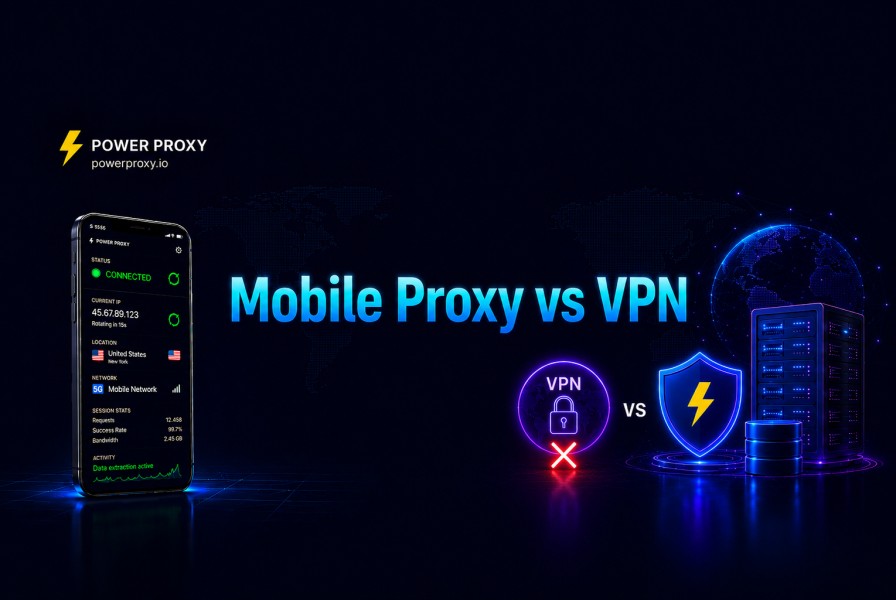
Mobile proxies and VPNs both change the IP address your traffic appears to come from. That surface similarity is where the comparison ends. They are built on different architectures, solve different problems, and behave very differently when used for anything more demanding than casual browsing.
A VPN is primarily a privacy and security tool. It encrypts your entire device's internet traffic and routes it through a single server. A mobile proxy is an access and scale tool. It routes specific requests through real devices on mobile carrier networks, giving you a carrier-assigned IP with a stronger network reputation profile, without necessarily encrypting the traffic at the system level. This guide explains the real difference, where each one wins, and how to choose.
What Is a VPN?
A VPN creates an encrypted tunnel between your device and a VPN server. All traffic from your device is routed through that tunnel. The destination sees the VPN server's IP address rather than yours, and your ISP sees encrypted traffic rather than the sites you visit.
VPNs operate at the operating system level, which means the encryption and IP change apply to everything on the device simultaneously. You get one IP at a time. Most consumer VPN services use datacenter IP addresses for their servers, though some offer residential or ISP-level IPs.
What Is a Mobile Proxy?
A mobile proxy routes your traffic through a real device connected to a mobile carrier network. The IP address your traffic exits from belongs to the carrier's ASN, the same range used by real mobile subscribers on that network.
Unlike a VPN, a mobile proxy operates at the request or application level rather than the OS level. You configure it per tool, per script, or per browser profile. Different applications can use different proxies simultaneously. You can rotate IPs between requests, maintain sticky sessions per account, and target specific geographies down to the city or carrier level.
The Core Differences
| Feature | VPN | Mobile Proxy |
|---|---|---|
| Traffic scope | Entire device (OS level) | Per app, per request, per tool |
| Encryption | Full encryption by default | Depends on protocol (HTTP, SOCKS5, OpenVPN) |
| IP pool size | One IP at a time | Many IPs, rotatable on demand |
| IP type | Usually datacenter or ISP | Real carrier-assigned mobile IP |
| CGNAT | No | Yes, shared among large numbers of subscribers |
| IP reputation | Low to medium (datacenter ASN) | Generally higher (carrier ASN) |
| Geo-targeting | Country or city level (server location) | Country, city, or carrier level |
| Carrier-specific IPs | Not available | Yes, by carrier selection |
| Session control | Single session per connection | Rotating or sticky per account |
| Multi-account support | Not designed for this | Core use case |
| Detection risk (automation) | Higher than carrier IPs | Lower, assuming normal account behaviour |
| Best for | Personal privacy, security | Automation, data collection, multi-account |
Where VPNs Win
Personal Privacy and Security
If your primary concern is protecting your own browsing activity from your ISP, network observers, or advertising trackers, a VPN is the right tool. It encrypts everything at the device level without requiring any per-application configuration.
Public Network Security
On untrusted networks such as public WiFi, a VPN prevents other users on the same network from intercepting your traffic. This is the scenario consumer VPNs are genuinely designed for.
Geo-Unblocking for Personal Use
Accessing streaming content or services restricted to specific countries is a common VPN use case. For a single user needing to access content from a different country, a VPN is simpler to set up than a proxy configuration.
Where Mobile Proxies Win
Automation and Multi-Account Management
Any workflow that involves running multiple accounts simultaneously, rotating through different IP addresses, or maintaining isolated session identities per account requires a proxy pool, not a single VPN connection. A VPN gives you one IP. A mobile proxy provider gives you a pool of carrier IPs you can distribute across sessions, accounts, and automation tasks.
Detection-Resistant Traffic
Most consumer VPN servers use datacenter IPs that are well-known to anti-bot systems, fraud detection platforms, and social media detection layers. A datacenter IP tends to carry a higher baseline risk score than a carrier IP before any behavioral signal is even evaluated.
Mobile carrier IPs sit in ASN ranges shared by large numbers of real subscribers through CGNAT. Because blocking a carrier IP range can affect many legitimate users, platforms are generally believed to apply less aggressive automatic restrictions to these ranges compared to datacenter IPs, though this is based on observed enforcement patterns rather than confirmed policy. Behavioral signals remain the primary factor: a carrier IP with suspicious account behavior can still get flagged.
Carrier-Level Geo-Targeting
Some VPNs, including Mullvad, NordVPN, and ExpressVPN, offer city-level server locations. What they generally cannot provide is carrier-specific mobile IPs. For use cases where the exact carrier-level location signal matters, such as mobile SERP tracking, local pack monitoring, or geo-targeted ad verification, a mobile proxy is necessary.
Per-Request and Per-Session Control
Mobile proxies can be configured to rotate the IP on every request, or to hold the same IP for the duration of a session, on a per-account basis. This flexibility is essential for scraping workflows that need fresh IPs to avoid rate limiting, and for account management workflows that need a stable IP to build a consistent session history. A VPN offers neither of these modes.
VPN vs Mobile Proxy for AI Agents
AI agents built with LangChain, LangGraph, Browser Use, or similar frameworks make many requests across many targets in short periods. This is exactly the pattern that anti-bot systems are built to detect.
A VPN gives an AI agent one datacenter IP. Every request the agent makes comes from the same address, which accumulates rate limits and blocks quickly. A mobile proxy pool gives an AI agent the ability to rotate across many carrier IPs, distribute requests so no single IP accumulates rate limits, and use sticky sessions for authenticated workflows that require the same IP across multiple steps.
For any AI agent workflow that makes requests to websites, APIs, or platforms with bot detection, a mobile proxy is the right network layer. A VPN is not designed for this use case and will hit blocks faster than a well-configured mobile proxy setup.
VPN vs Mobile Proxy for Web Scraping
Web scraping at any meaningful volume requires IP rotation. A VPN provides one IP. When that IP gets blocked, the scraping job stops until you manually switch servers. There is no automated rotation, no IP pool to draw from, and no way to distribute requests across multiple addresses simultaneously.
Mobile proxies give scraping workflows access to a rotating pool of carrier IPs. Each request can come from a different address, which spreads the load and avoids the rate limits that accumulate when a single IP makes many requests to the same domain. For scraping tasks that require geo-specific data, mobile proxies with carrier-level geo-targeting provide more accurate location signals than a VPN server in the same country.
Can You Use Both Together?
Yes, and there are practical scenarios where combining them makes sense. PowerProxy supports OpenVPN as a connection protocol. This means you can connect to the mobile proxy through an encrypted OpenVPN tunnel, getting the carrier IP reputation of a mobile proxy with encryption between your device and the proxy endpoint. The encryption covers the connection to the proxy server itself. What happens beyond the proxy server depends on whether the target site uses HTTPS.
What this does not change is the fundamental scope difference: even with OpenVPN, the proxy still operates at the application or request level rather than the OS level, and it still routes through a real carrier IP rather than a datacenter server.
SOCKS5 itself does not provide encryption. HTTP proxies also do not encrypt traffic unless the connection to the proxy is secured with TLS (HTTPS). If you connect to the proxy server via OpenVPN, that tunnel is encrypted. HTTPS connections to target sites are encrypted end-to-end regardless of which proxy protocol you use.
Common Misconceptions
Which One Do You Need?
Get the Right Tool for the Right Job
Power Proxy provides dedicated carrier-grade mobile proxies with HTTP, SOCKS5, and OpenVPN support. Real carrier-assigned IPs, rotating and sticky sessions, and city-level geo-targeting for professional automation, data collection, and multi-account management.
Narmin Kamilsoy
Contributing author sharing insights and stories on our blog.